Organize Favorites
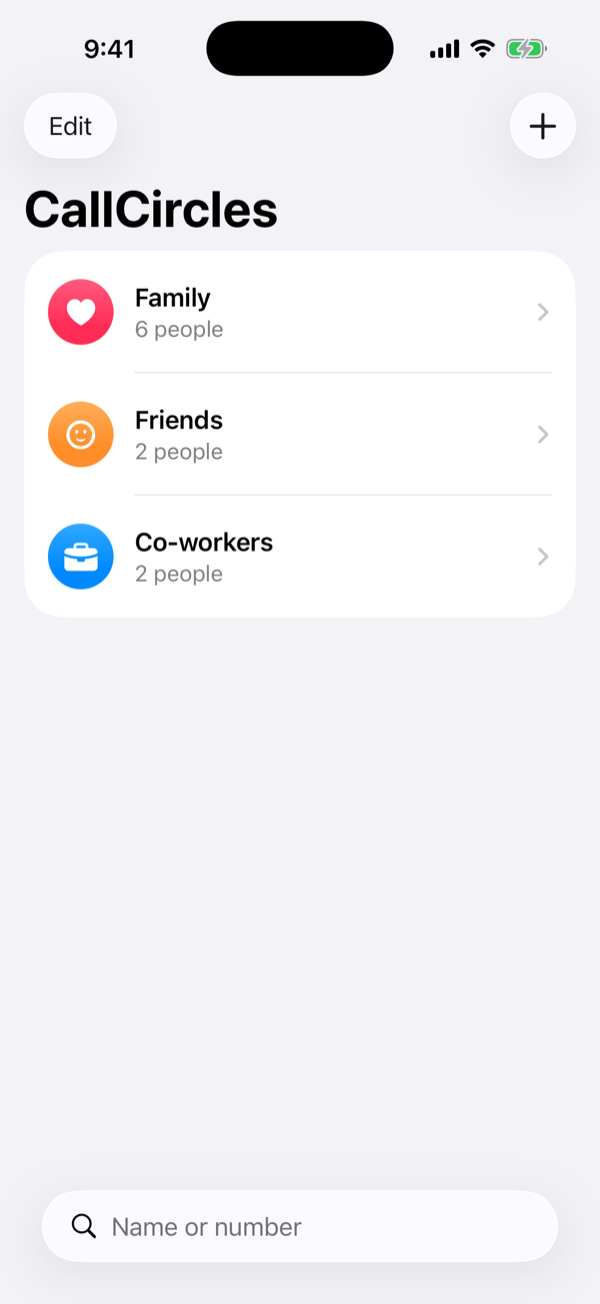
Keep the people you call most in circles instead of one long list.
SPEED DIAL
Your Favorites. Finally Organized.
Group your important contacts into custom circles. Everyone you call most is one tap away.
Features
One long list of everyone isn’t organized. CallCircles gives the people you call most a place of their own.
Keep the people you call most in circles instead of one long list.
Family, Friends, Work, Neighbors. Name each circle and give it an icon and a color.
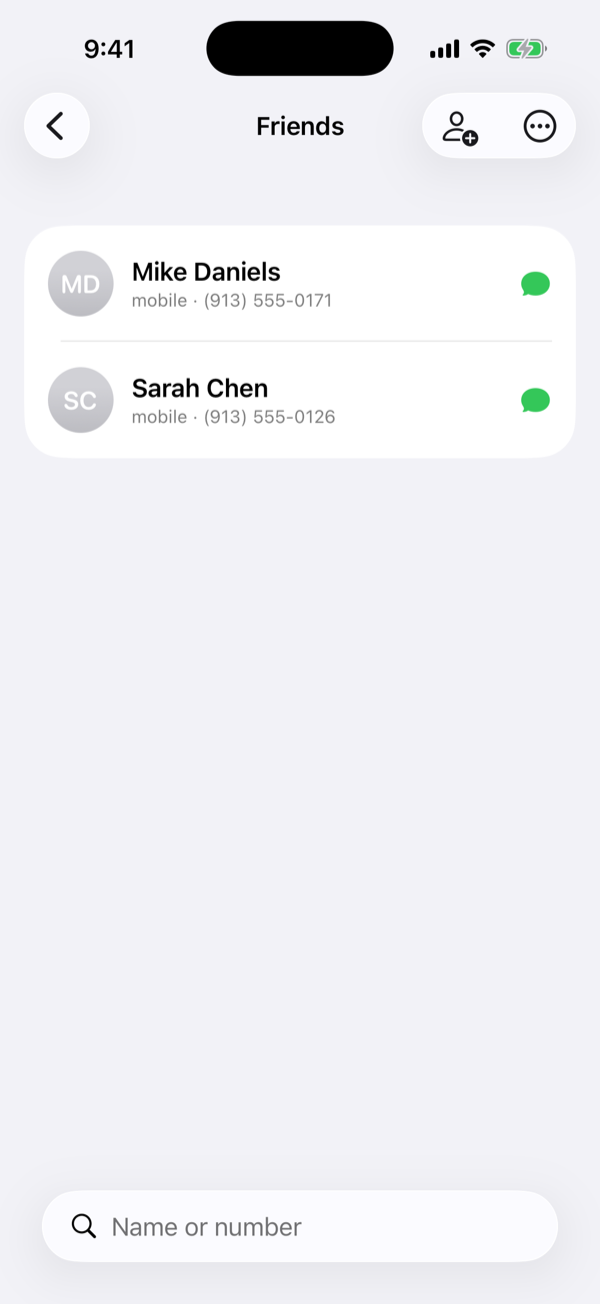
Tap a name to call. Tap the bubble to text, or touch and hold for FaceTime.
Put a whole circle, or one favorite person, on your Home Screen or Lock Screen.
“Hey Siri, call Mom in CallCircles.” It works in the Shortcuts app too.
Search every circle by name or number, and add people straight from your contacts.
How It Works
No account to create, nothing to sync. Open it and start a circle.
Tap +, give it a name, and pick an icon and a color.
Search your contacts and tap a name. CallCircles only ever sees the people you pick.
From the app, from a widget on your Home Screen or Lock Screen, or just by asking Siri.
CallCircles has no servers to send anything to. Your circles live on your iPhone and nowhere else. Read the privacy policy.
Get the App
CallCircles is in testing now. Questions or ideas? We’d love to hear them at [email protected].
Coming soon to theApp Store